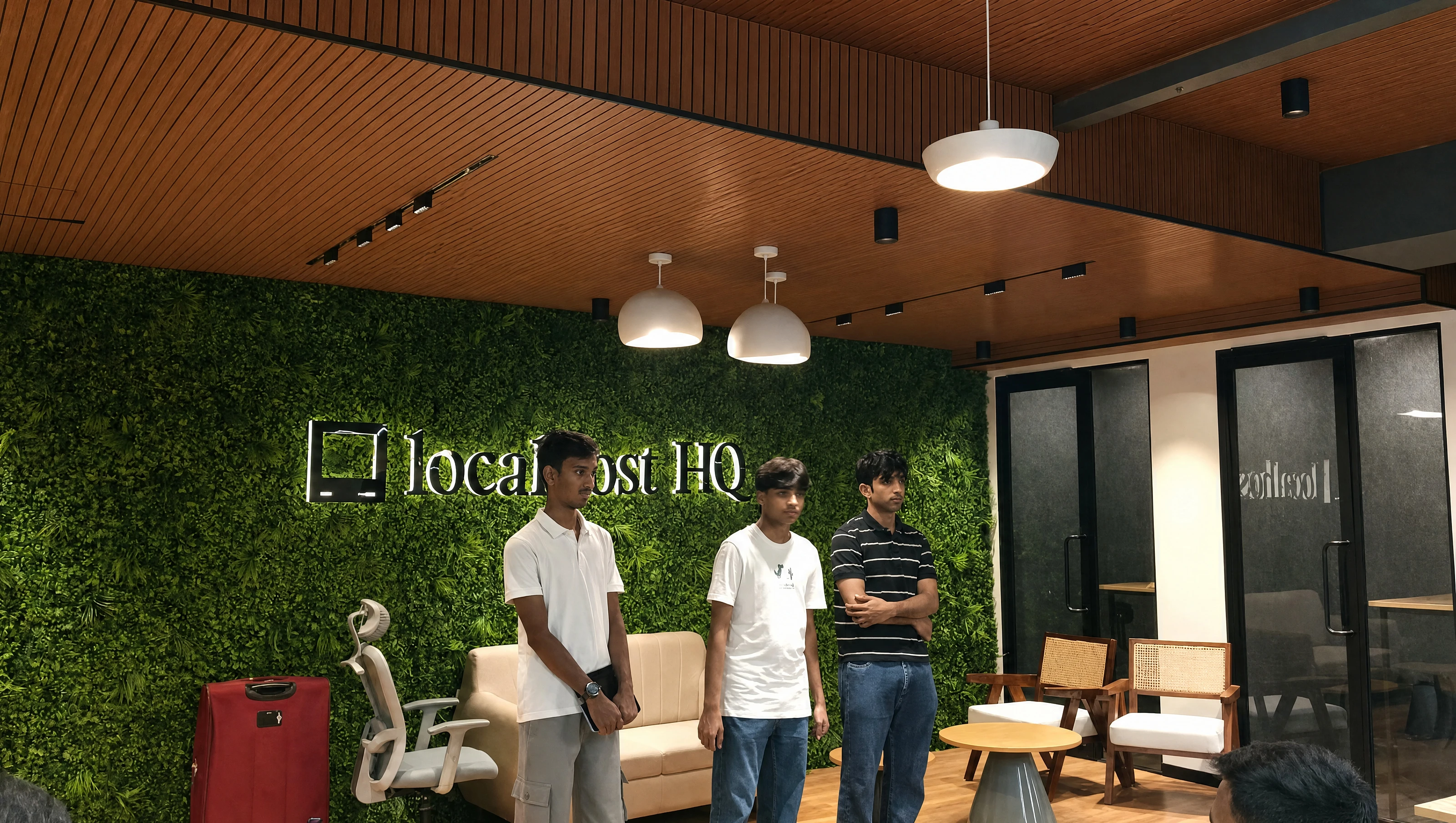
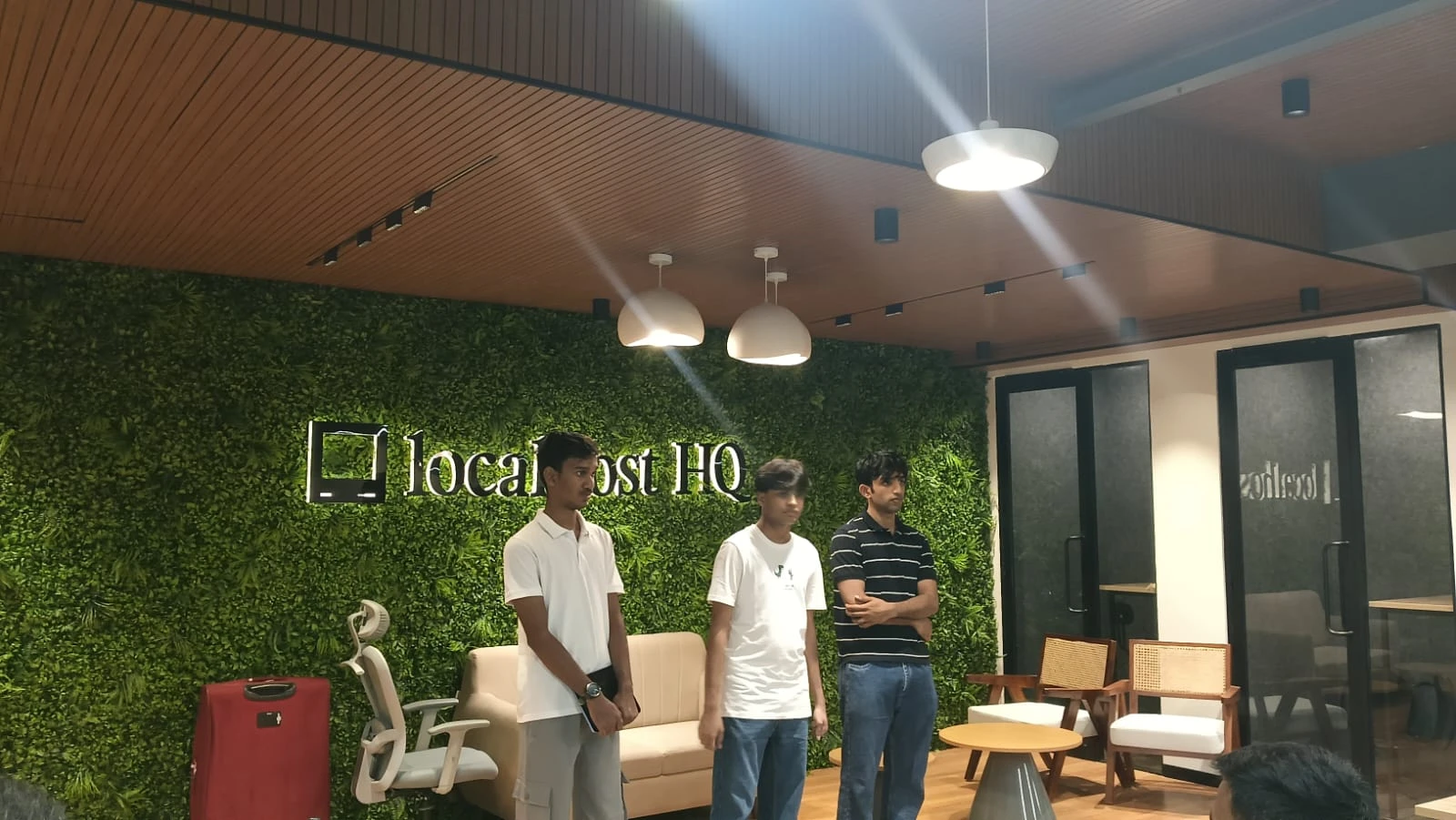
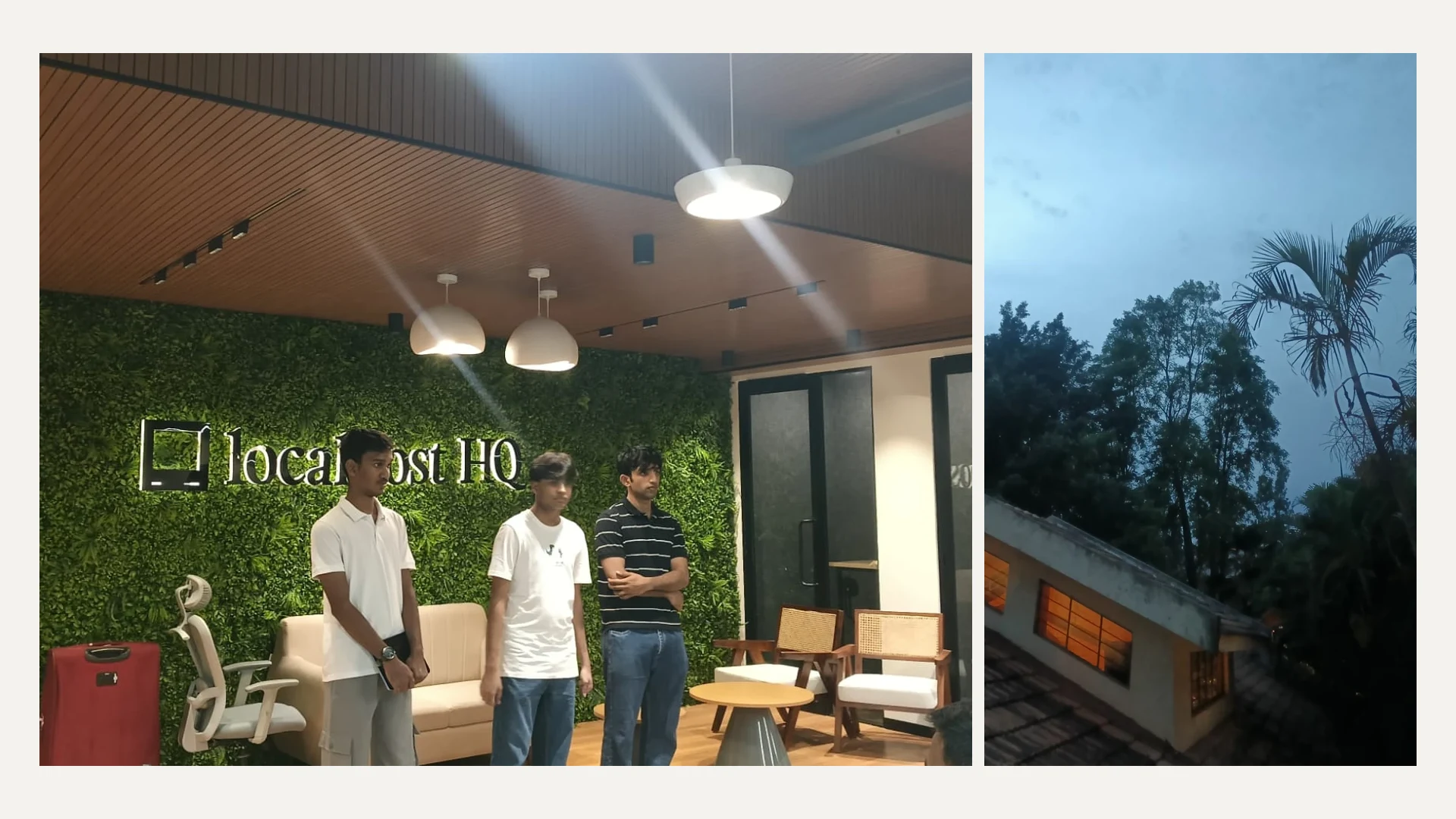
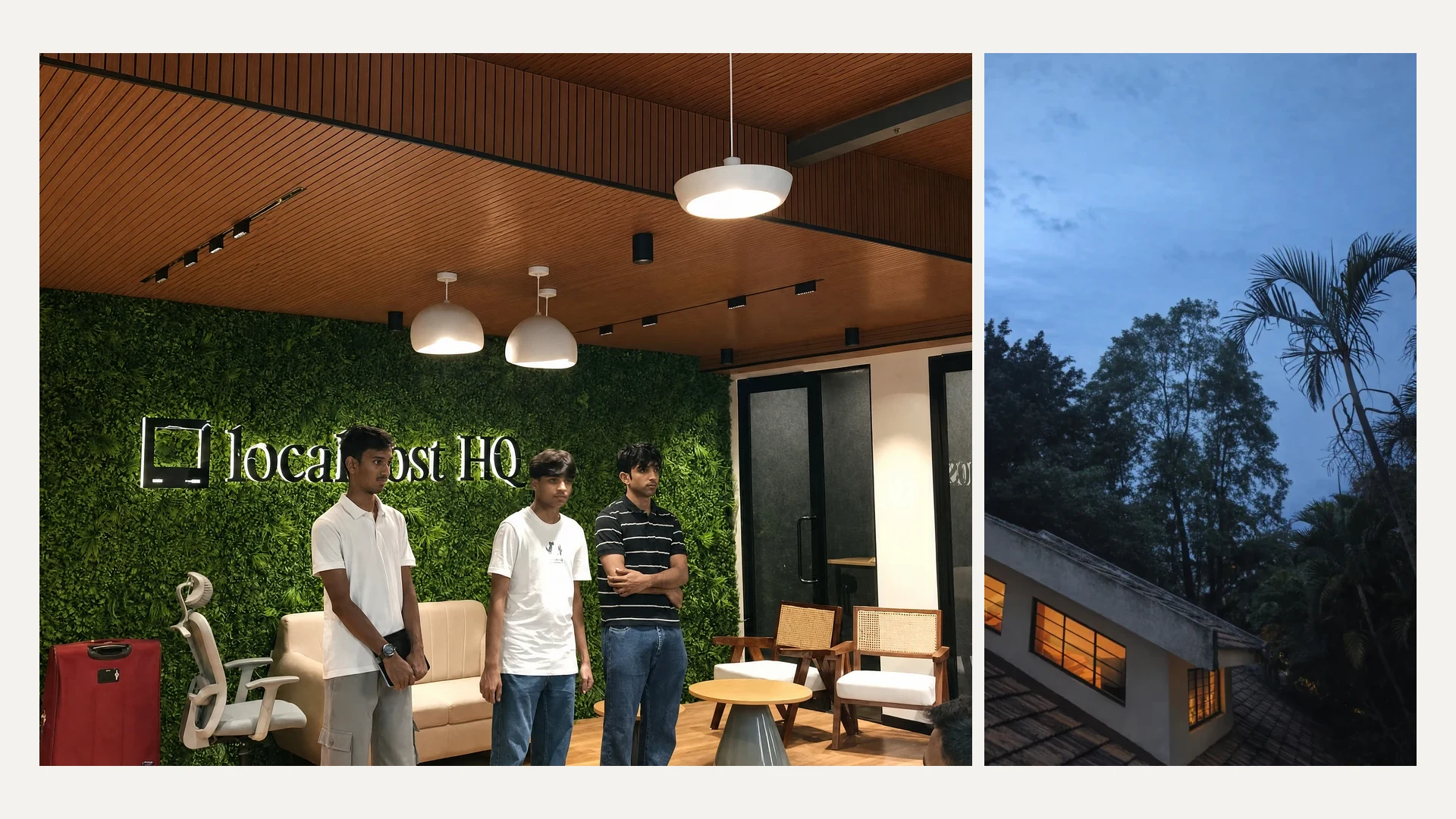
 original
enhanced
original
enhanced
most people don't buy a budget phone because they care less about photos. they buy the best phone they can afford.
they compare cameras, save money, and finally get the phone. but when they click a picture indoors or at night, the face comes out blurry, the light becomes a white patch, the colours look dull, or a glare cuts across the frame.
the phone is new. the camera says 50 or 108 megapixels. still, the photo doesn't look the way that moment felt.
around 60% of smartphones sold in India cost less than ₹20,000. for a lot of people, that phone is already a big purchase. regretting its camera afterwards is hard because buying another phone isn't a small decision.
and that's why i built Cam.
the idea is very simple. open Cam and click a picture. the original gets saved instantly, Cam improves it in the background, and the better photo appears in your gallery when it is ready.
no prompt. no editing timeline. no sliders to understand. just click the picture and move on.
the app is simple on purpose
most enhancement apps make you choose a photo, upload it, pick a mode, move a few controls, wait, and then save another copy. by that point, clicking the picture was the easy part.
i wanted Cam to feel like a camera, not an editor.
the shutter should respond immediately. the original should always be safe. the enhancement can take its time in the background. and the gallery shouldn't get filled with two separate copies of every photo.
so Cam keeps the original and enhanced version together as one gallery item. while the photo is being improved, you see the original with a small loader. when it is ready, the enhanced photo becomes the cover. you can still open it and switch back to the original anytime.
the user only has to do one thing: click.
but “make this photo better” isn't enough
this was the first problem i hit while building it.
an image model can make a photo look cleaner, but it can also quietly change the person, rewrite text on a shirt, add detail that was never there, move an object, or change the sky. the result may look impressive, but it is no longer the same memory.
when i say “iPhone-like quality,” i don't mean Cam is copying one iPhone filter or checking a secret iPhone score. i mean the things people usually expect from a good phone camera: natural colours, controlled lights, cleaner shadows, less noise, and enough detail without looking edited.
the rule became simple: fix the camera problem, not the moment.
how one photo moves through Cam
instead of asking one model to do everything, Cam gives the photo three small jobs.
first, understand what went wrong
GPT-5.6 looks at the original photo and creates a small repair plan. it checks for blur, noise, low light, overexposure, haze, compression, and camera glare. it also marks what must stay untouched, such as a face, hand, logo, shop name, building, or the exact position of an object.
{
  "fix": [
    "soft detail",
    "lamp glare",
    "dull colours"
  ],
  "keep": [
    "face",
    "pose",
    "shirt logo",
    "room"
  ]
}
this is much safer than sending the same “enhance this image” prompt for every photo. a night portrait and a hazy building don't need the same repair.
then, improve only that
GPT Image 2 gets the original photo and the repair plan. it is told to keep the crop, people, faces, pose, hands, text, logos, objects, weather, and scene exactly where they are.
Cam generates one careful result, not eight different versions. more versions would cost more and take longer. for a camera, waiting also becomes part of the problem.
finally, compare it with the original
Cam checks the result twice before showing it.
first, normal image measurements compare the light and edges of both photos. then GPT-5.6 looks at them together and checks whether a face, word, object, or shape changed.
photos with people or text have a higher bar. overall fidelity must reach 92, identity and text fidelity must reach 94, and the hallucination risk must stay below 8.
if the result doesn't pass, Cam throws it away and returns a safer non-generative enhancement using Sharp. a smaller improvement is better than changing someone's memory.
making it feel like a real camera
the first builds made the user wait after pressing the shutter. technically it worked, but it felt nothing like a camera.
now the native camera finishes the capture first. Cam flashes the shutter, saves the original, and lets the user take another photo. copying the upload file, sending it to the cloud, and saving the enhanced version all happen after that.
the app also writes a local generation record before the upload starts. this became important in production because a phone connection can close while the server is still working. when that happens, the gallery checks the server again and brings back the finished photo instead of showing a red failure mark forever.
it sounds like a small detail, but this was what made Cam usable for me as an actual camera.
credits, payments, and the photos
every new account gets one photo free. after that, Cam has two packs: 10 photos for ₹69 and 30 photos for ₹199.
before enhancement starts, the server reserves one credit. if anything fails, it returns that credit automatically. payments are added only after a signed Dodo Payments webhook confirms the correct pack, price, and currency. returning from the checkout screen alone can't add credits.
Google sign-in is handled through Supabase Auth. profiles, credits, payments, and generation records live in Supabase Postgres. the original and enhanced images are stored in a private Google Cloud Storage bucket under the same generation.
the photos are never given a permanent public URL. and when the user deletes one Cam photo, the app removes the original, enhanced version, cloud files, database record, and both device-gallery files together.
what broke when i moved it to production
Cam worked locally, then stopped enhancing photos when the Android app called the production API.
the problem was one header. the app manually sent multipart/form-data, but the upload library created a different boundary for the actual image. the local server accepted it. the production parser didn't. removing that manual header fixed the upload.
another issue was time. a full enhancement can outlive a normal mobile connection, so a finished server job sometimes looked like a failed app job. that is why the server is now the final source of truth and the gallery can recover recent generations.
the public website stays on Vercel, but the long image work runs on Google Cloud Run and the larger files live in Cloud Storage. keeping those jobs away from the website made the whole flow much more stable.
the tech behind it
the Android app is built with React Native, Nitro Camera, CameraRoll, and React Native Blob Util. the API uses Next.js, Node.js, and Sharp. GPT-5.6 plans and checks each repair, while GPT Image 2 improves the frame. Supabase handles auth and Postgres data, Google Cloud runs the worker and stores private images, and Dodo Payments handles checkout.
Codex helped me build and debug the whole product, especially the production-only failures between Android, Cloud Run, Supabase, and the image pipeline.
the complete implementation is available in the Cam repository.
what i learned
i started with a simple thought: can software help a low-end camera take a better photo?
but while building Cam, i realised the model was only one part of it. the original still has to save instantly. the generated photo has to remain the same moment. a failed request has to return the credit. a broken connection has to recover later. and deleting a photo has to actually delete every copy.
the next thing i want to improve is speed. the shutter already feels instant, but the enhanced photo still takes time. i want to move the simple checks and repairs onto the phone, then use the cloud only for photos that really need it.
if Cam works the way i want, people shouldn't have to think about any of this.
open Cam. click the picture. keep the moment.